
A tabletop rocket that releases one sealed reward capsule when my kid earns it. Getting there took ten chapters of things going wrong.
The video has the highlights. This is the long version: the dead ends, the measurements that broke my assumptions, and the fixes that finally made it buildable.
Every part here is what I actually used.
Get the print files on Printables →Parts listAssembly guidePrint settingsCode (GitHub)Free · STL/3MF · CC BY-NC-SA 4.0
Prototype notice: Reward Rocket is a prototype and has not been extensively tested. Build and use it at your own risk. Scoped build and software checks do not mean physical validation.
I built Reward Rocket with the AI Make process, the same step-by-step method every AI Make project follows. See how the process works.
Potty training runs on rewards. I wanted the reward to feel like an event: I approve it from my phone, my kid presses a big real button, and one sealed capsule comes out of the rocket on the table.
That’s the whole pitch. Making it real took a browser mockup, a stack of Fusion parts, a print farm, a hood that took roughly 18 hours to print, and more firmware than I expected.
I worked with AI assistants the whole way. They modeled parts in parallel while I handled other work, built and checked the firmware, and read through the code to find bugs. I measured the real parts, printed, assembled, tested, and made the calls. Where an assistant’s guess met a caliper, the caliper won. That happens a lot below.
Spoiler: it works. It passed a 15-delivery test.
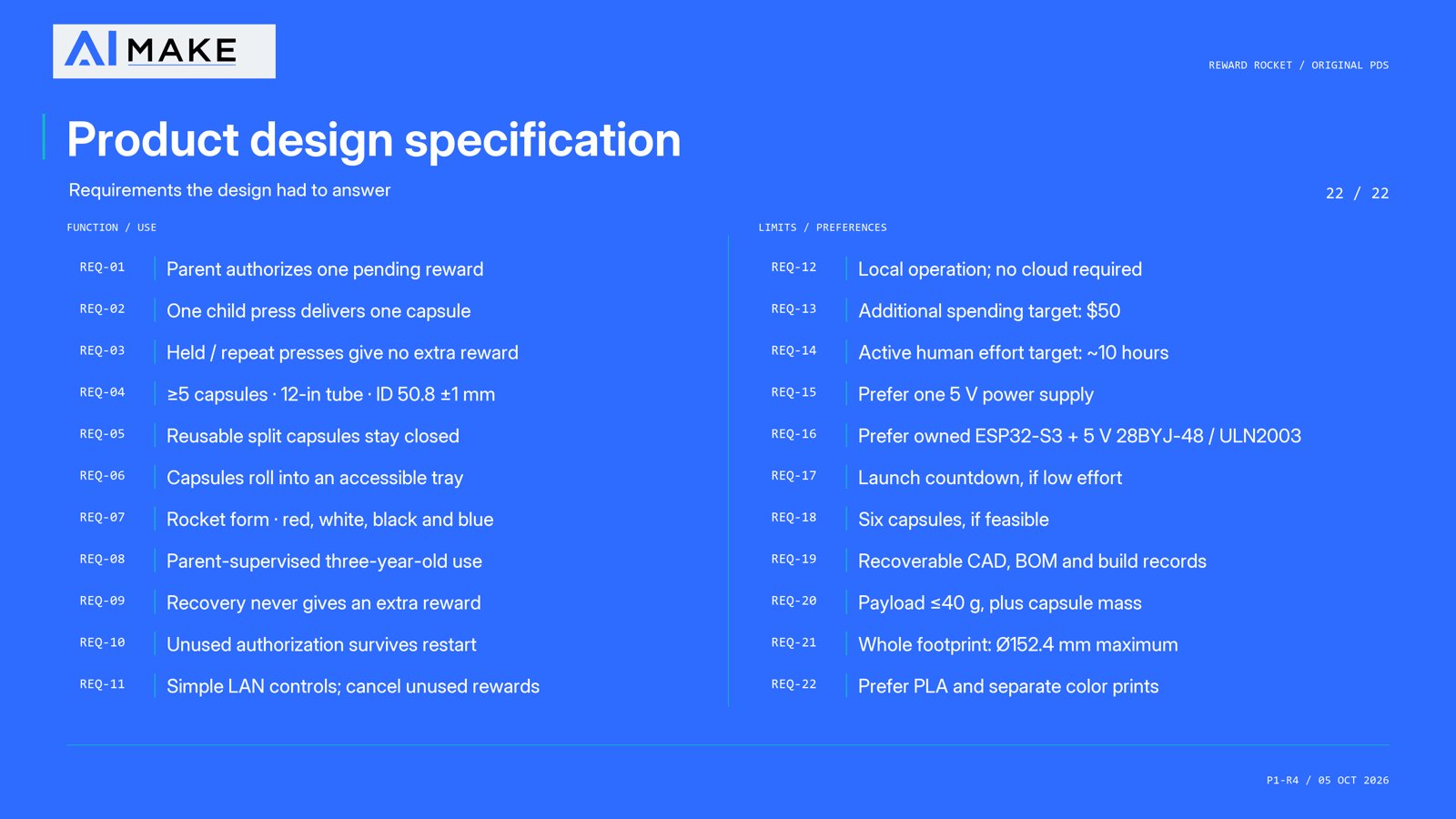
Before any CAD, the rocket got a yardstick: a product design specification, the written list of what it must do. A parent approves one reward at a time over the home network. A real button for the kid. One closed capsule at a time, dispensed from the acrylic tube; the finished rocket’s tube holds 10 capsules. Reuse the ESP32-S3 board and 5 V stepper I already owned. Fit in six inches.
The spec also pinned down the tube dimensions, a 40 g limit on what a capsule carries, printer and material preferences, looks, cost and effort targets, safety and recovery limits, and how each requirement would eventually be checked.
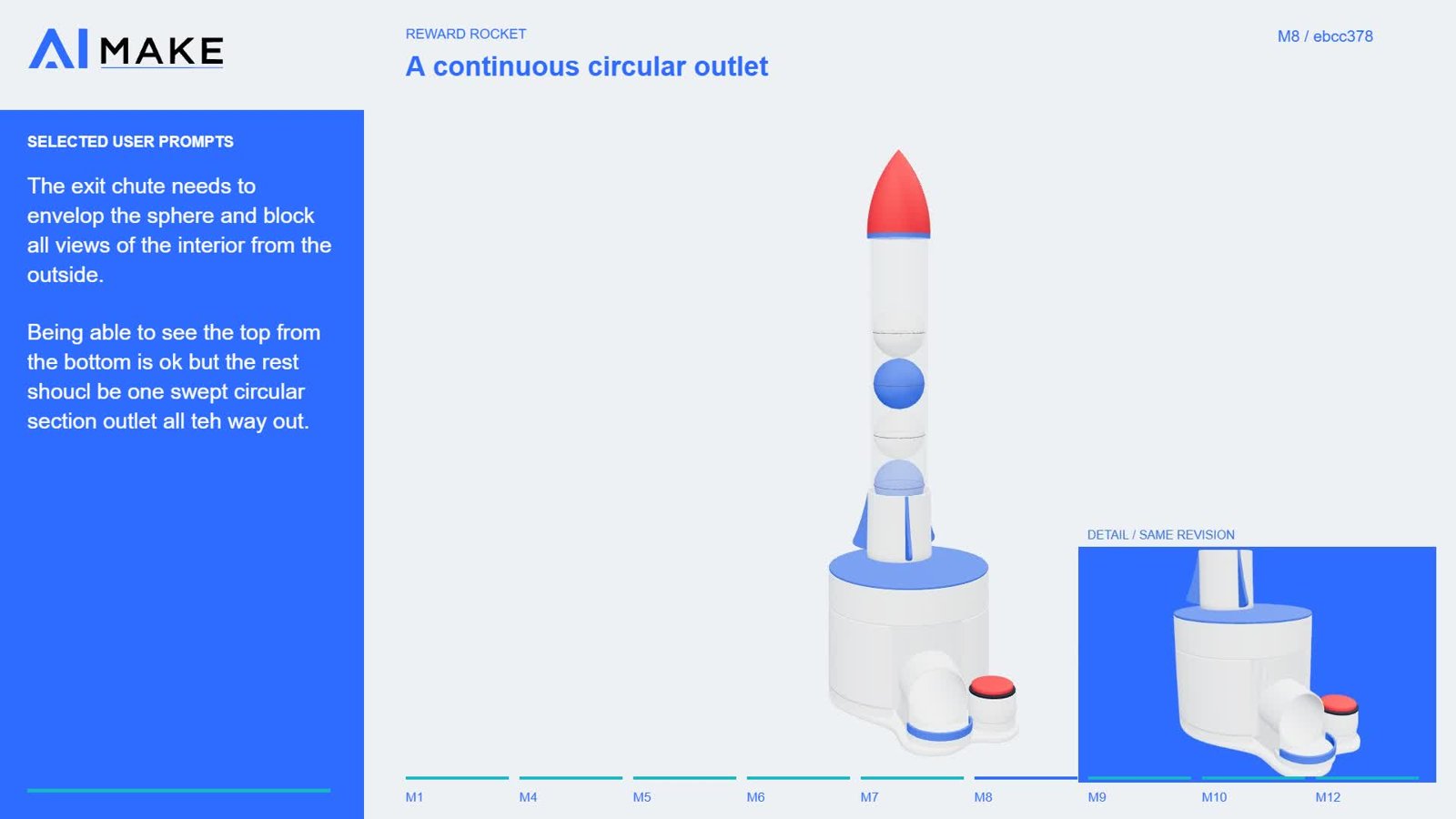
The first rocket was a GLB, a compact 3D model file you can spin around in a web browser. Rocket, tube, capsule path, mechanism, all moving. We could argue about layout and motion in minutes instead of modeling every screw first. I still have the clips of it going from rough to polished.
It looked great. It also lied, the way every pretty mockup lies. A browser model doesn’t care that you can’t reach a screw, that a connector has nowhere to go, that two walls pass through each other, or that a part will print badly the way it’s oriented. It even carried an idea I’d later kill: two Hall sensors.
So the GLB became a picture and a layout guide, never something to print. The layout ideas worth keeping were rebuilt as dimensioned Fusion parts, with mounting and manufacturing detail added only where evidence backed it up.
The lesson I took away: print cheap size-check coupons for the critical spaces before detailed design. I did use coupons eventually. Too late.
The electronics started as reference photos and catalog descriptions: the ESP32 breakout board, the Hall sensor board, the stepper driver. All of it had to fit in a small body and stay reachable for service.
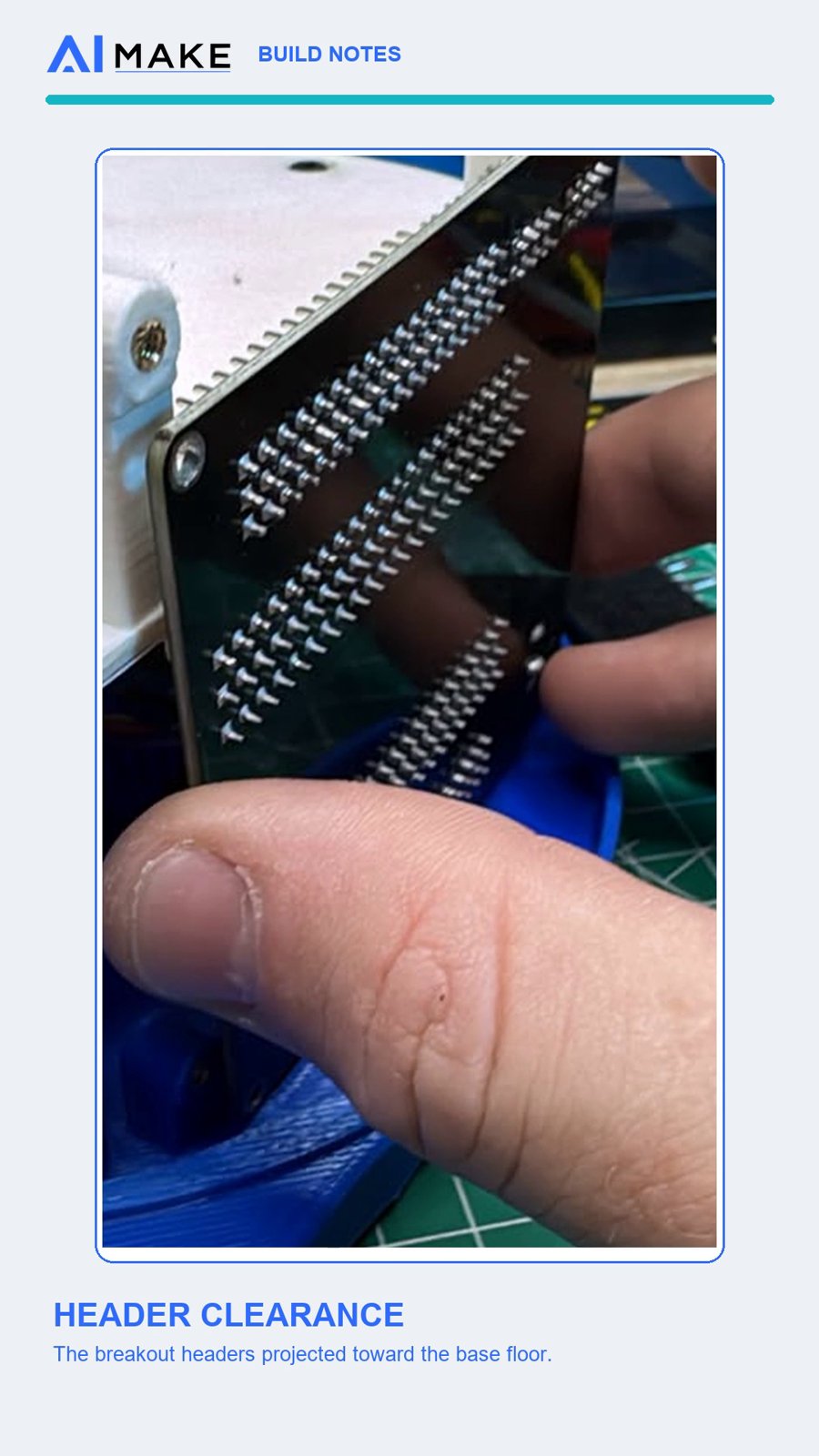
Then I tried to install the real board. Some of the early board details, especially the breakout pins, were wrong. Worse, the actual pin headers crashed into the base and floor. There was no way to get the board in.
That one taught me something. A board can line up perfectly with its screw holes and still be impossible to install, because the connectors and the bends in the wires need real volume behind it.
So I measured. Board facing outward, which worked. Header projection: 8 mm. Connectors plus wire bends: roughly 18–20 mm from the board surface. That number later shaped the removable pod on the hood. And I powered everything from the breakout’s labeled 5 V/GND bus.
The early concept had two Hall sensors, little magnetic switches: one to find home, one to mark the delivery spot. That’s an extra board, extra mounts, extra wires, extra code.
It needed one. The firmware now seeks the sensor’s edge as a magnet passes and uses that as its datum, the fixed reference point everything is measured from. From there it applies a signed, saved offset that I set by hand to reach the delivery spot. I watched the sensor catch the magnet and stop the way it was configured. Then I lined the top up at the delivery position and tightened the grub screw.
The datum gives a known start. The offset handles however the parts actually line up. No second sensor, and no pretending that counting motor steps alone can find the spot. In my debrief, the two sensors were on my list of unnecessary redundancy.
In the assembly guide: Install the single home Hall module
Version one of the button was a stack: switch, a flexible and fairly weak support, plunger, bezel. The switch fit fine on its own. Assembled from underneath, it was a fight.
And then the plunger didn’t reach. The button was too short to press its own switch reliably. Some of the small supported features printed badly too.
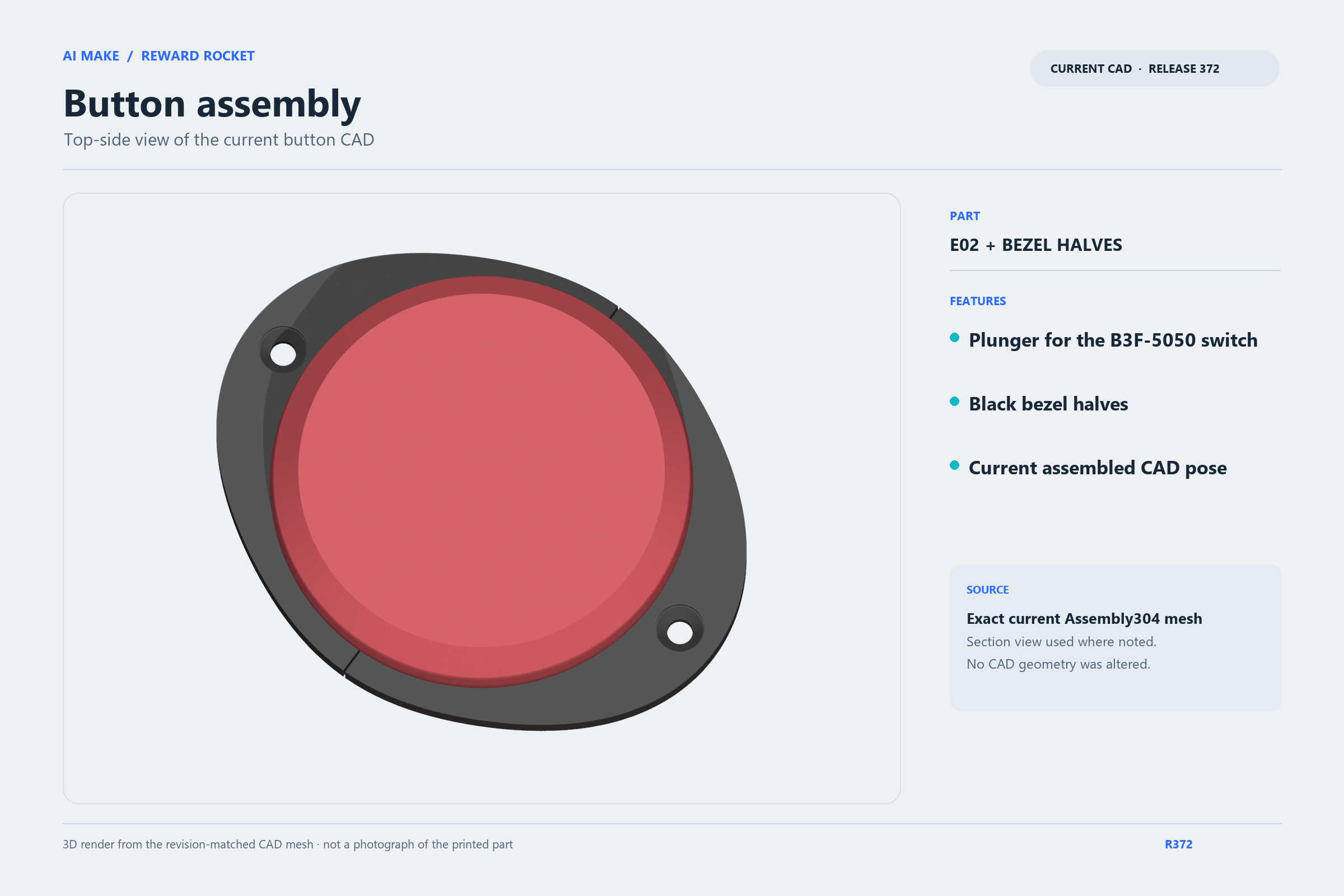
The fix was a rethink. The switch now lives in a removable cartridge that slides in from below, held by a compact keeper on a sturdier, continuous support, with a bezel that screws on and a longer plunger. I measured the switch actuator sitting 9.8 mm below the bezel mounting surface, and at my request the AI extended the plunger tip to exactly that. Its flange gives 3 mm of captured play, 1.5 mm each way, and the switch itself sets where a press stops. Pegs and sockets keep the bezel halves aligned while the seam glue cures. The base and its heat-set inserts didn’t change at all.
Dry test: it worked like a charm. The printed plunger came out well, and the button works. Best part: the switch can now be swapped without scrapping the base.
In the assembly guide: Heat-set the two switch-keeper inserts · Screw the removable bezel halves to the base
Having a print farm means you can print a lot of parts at once. It doesn’t mean you’re printing them well.
My early print plates were often half empty, and the AI oriented some parts so they needed a forest of support. The early hood was roughly an 18-hour print; a later redesigned and reoriented version was about 3 hours. The early one was also miserable to clean up. On one printer, a part had support under faces that should have sat flat on the build plate, and a thin section near a cone rim delaminated, its layers peeling apart.
Looking closer, support wasn’t following the surfaces that mattered. Tiny tips got no support while big flat areas were buried in it. The surface finish showed it. And print plates kept going out with unused space. I asked more than once for compatible parts to share a print plate, and pointed out that in Orca, same-material parts can each have their own infill, so one print plate doesn’t force one infill on everything.
The turnaround: the AI reoriented parts for solid bed contact and less support, and made print plate arrangement a deliberate step instead of an afterthought. The rules I settled on: orient for the least support, never put support on mating faces unless there’s truly no alternative, and no brims unless a part has actually failed to stick. That’s what this project taught me.
And the same lesson as chapter 2, again: size-check prints before detailed models, especially for bought boards and anything that moves.
The first wiring plan put connectors on a floor I couldn’t reach once the rocket was assembled. The Hall sensor board’s screws and nuts were awkward too, and I ruled out nuts on the sensor side because they could pull out and crowd the sensor.
Heat-set inserts, threaded brass sleeves melted into the plastic, replaced the nuts. The button wiring got simpler once I was actually building it. I soldered the two button wires directly to the B3F-5050 switch pins and routed them to the ESP32 instead of using the terminals in the model.
The final map: button to GPIO17 and ground. Hall sensor signal to GPIO15 at 3.3 V. The ULN2003 driver’s IN1–IN4 to GPIO4 through GPIO7. Motor power from the breakout’s 5 V and shared GND bus.
Fewer connectors and reachable screws made the real assembly simpler. The wiring diagram shows this setup as I built it.
In the assembly guide: Install the base receiver inserts
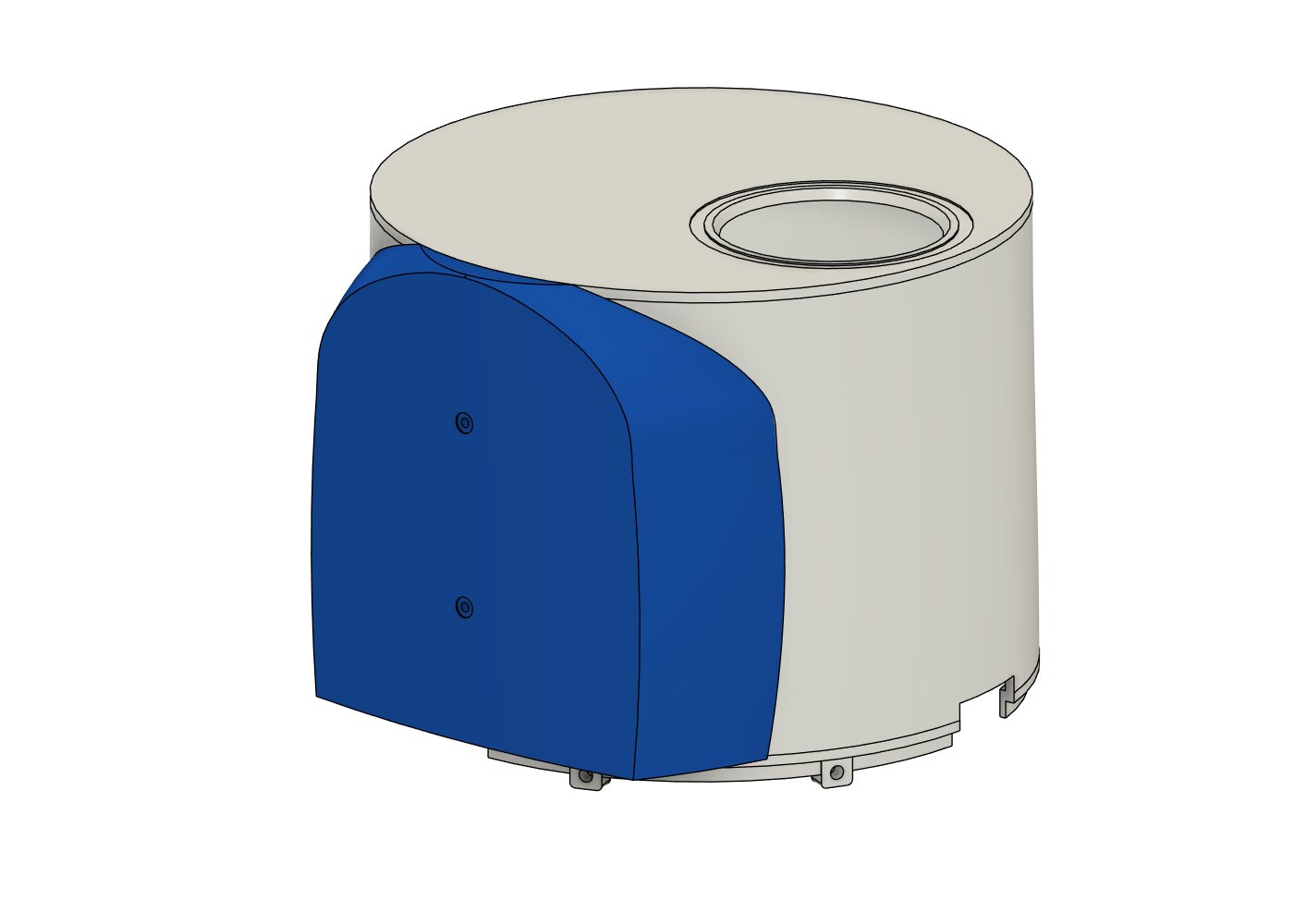
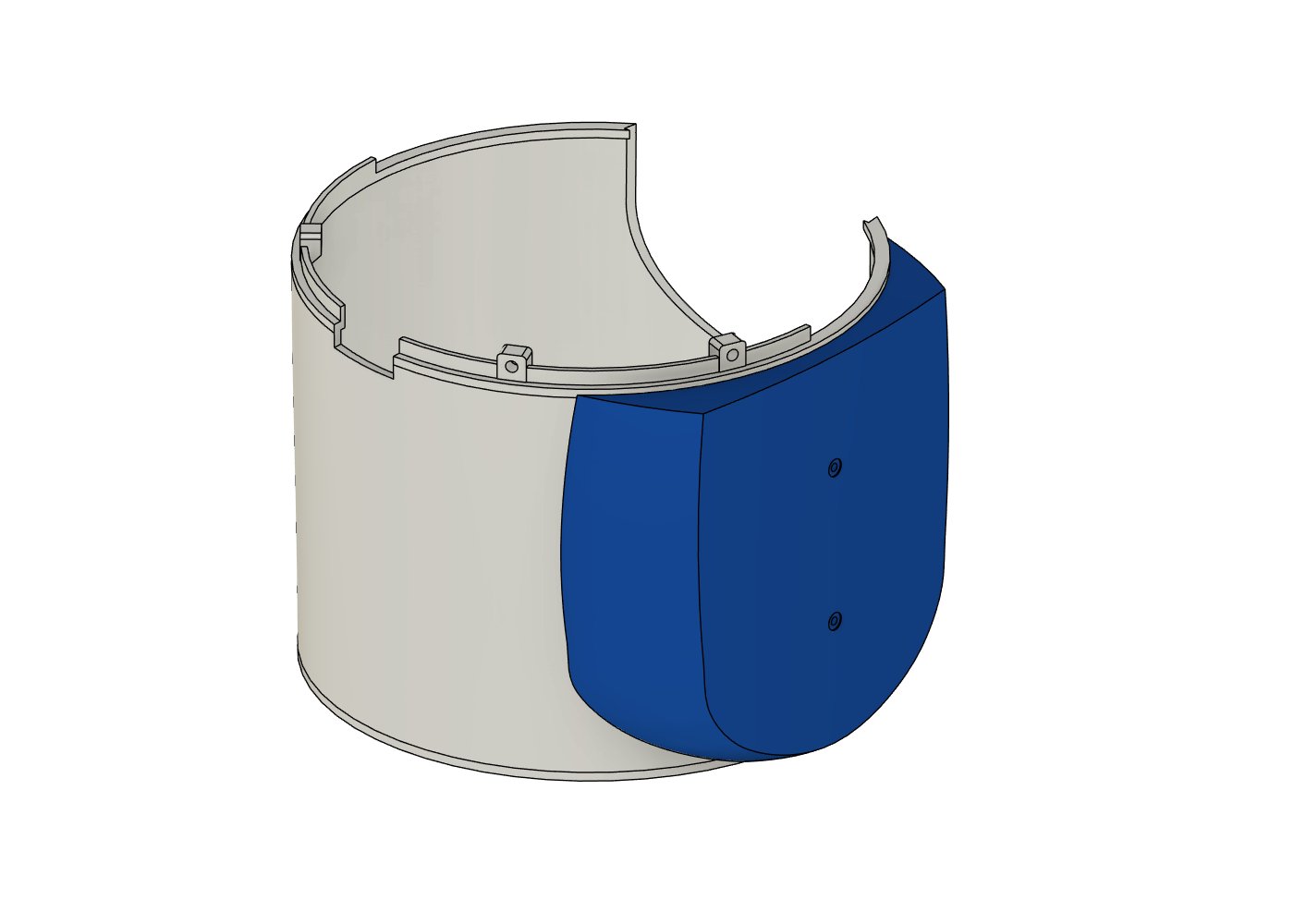
Remember the 18–20 mm the connectors needed? The original hood didn’t have it. Pin headers, connector bodies and wire bends simply didn’t fit.
I could have inflated the whole hood. That would have solved the space problem and given me a fat, bulky rocket that was harder to service.
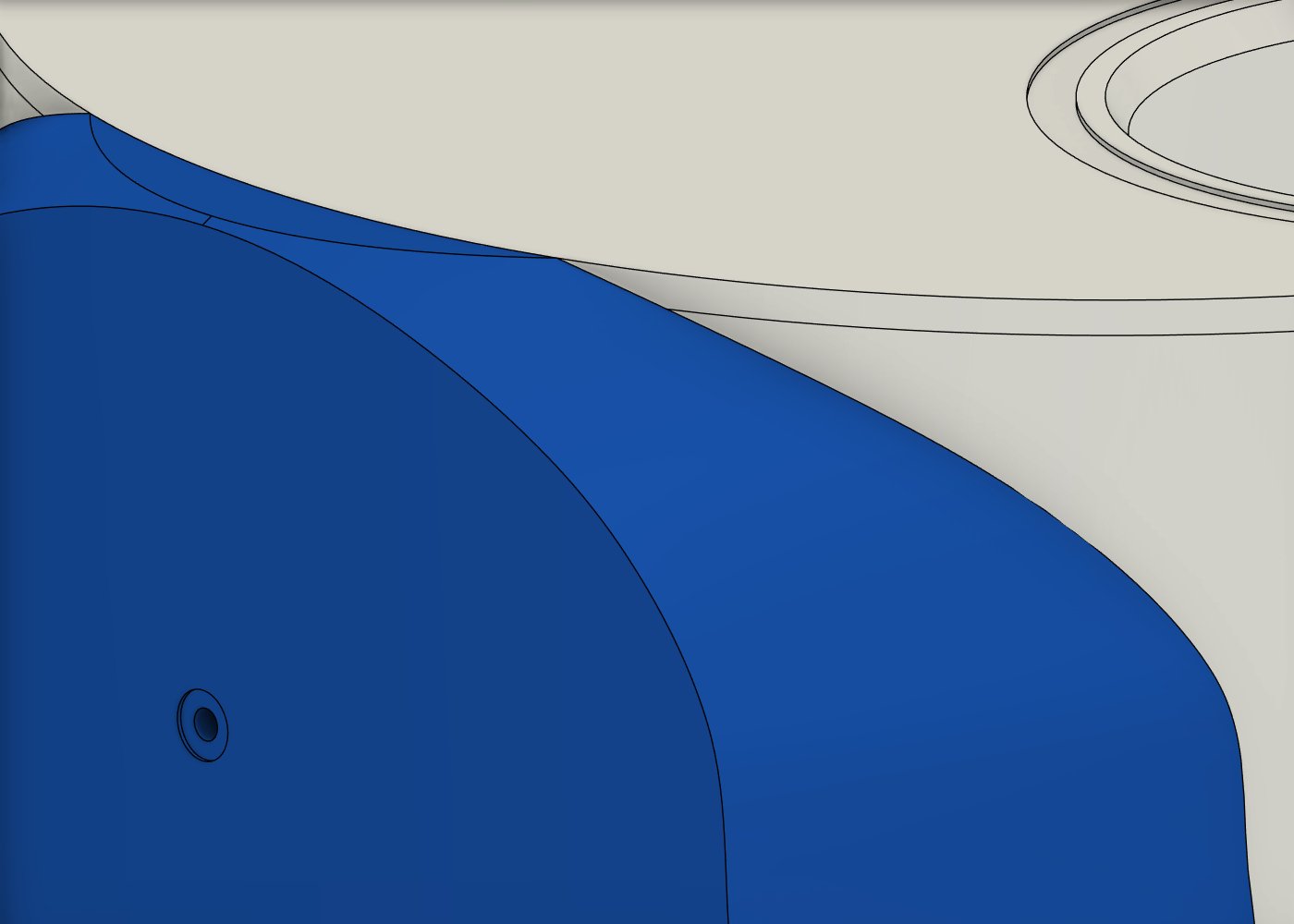
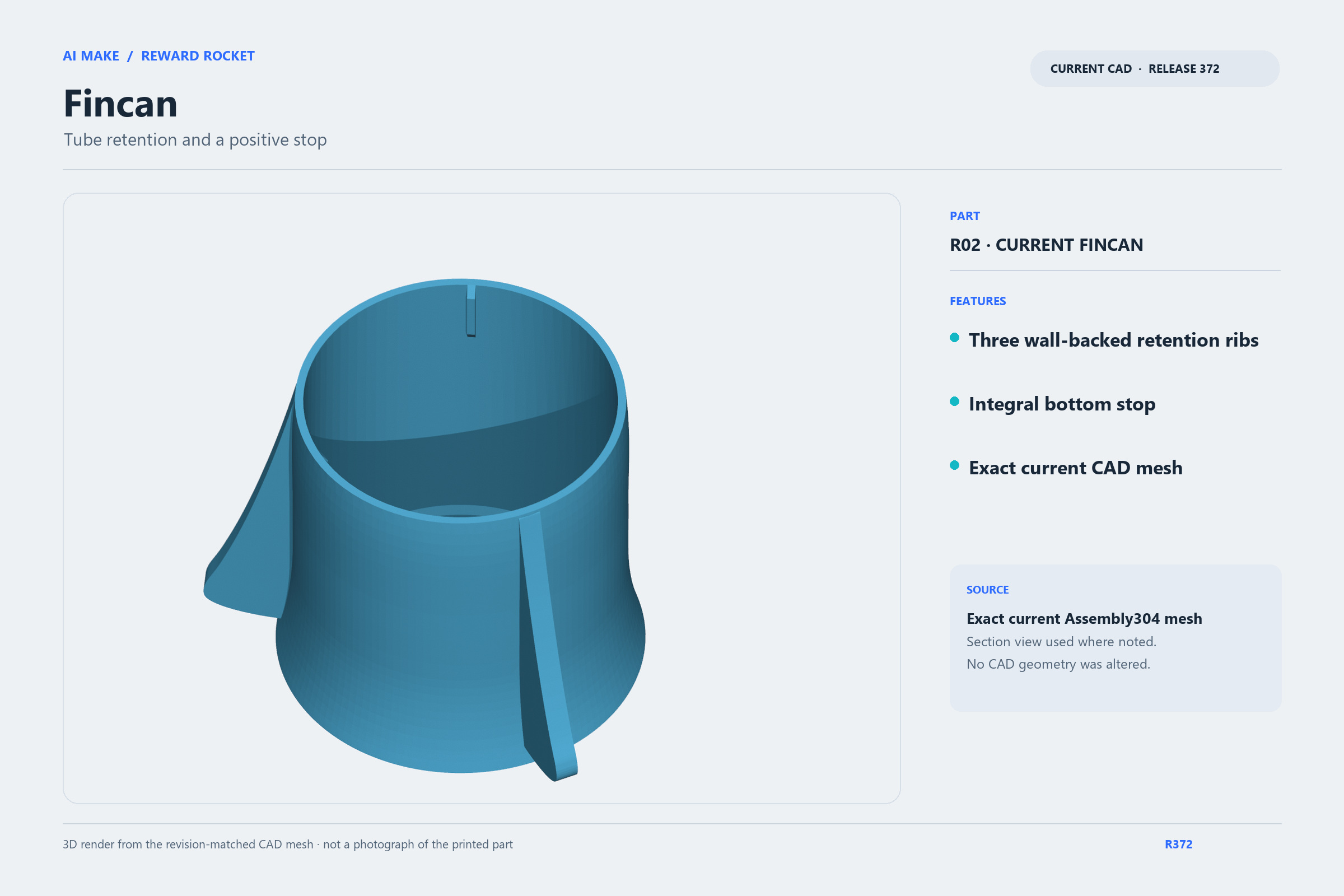
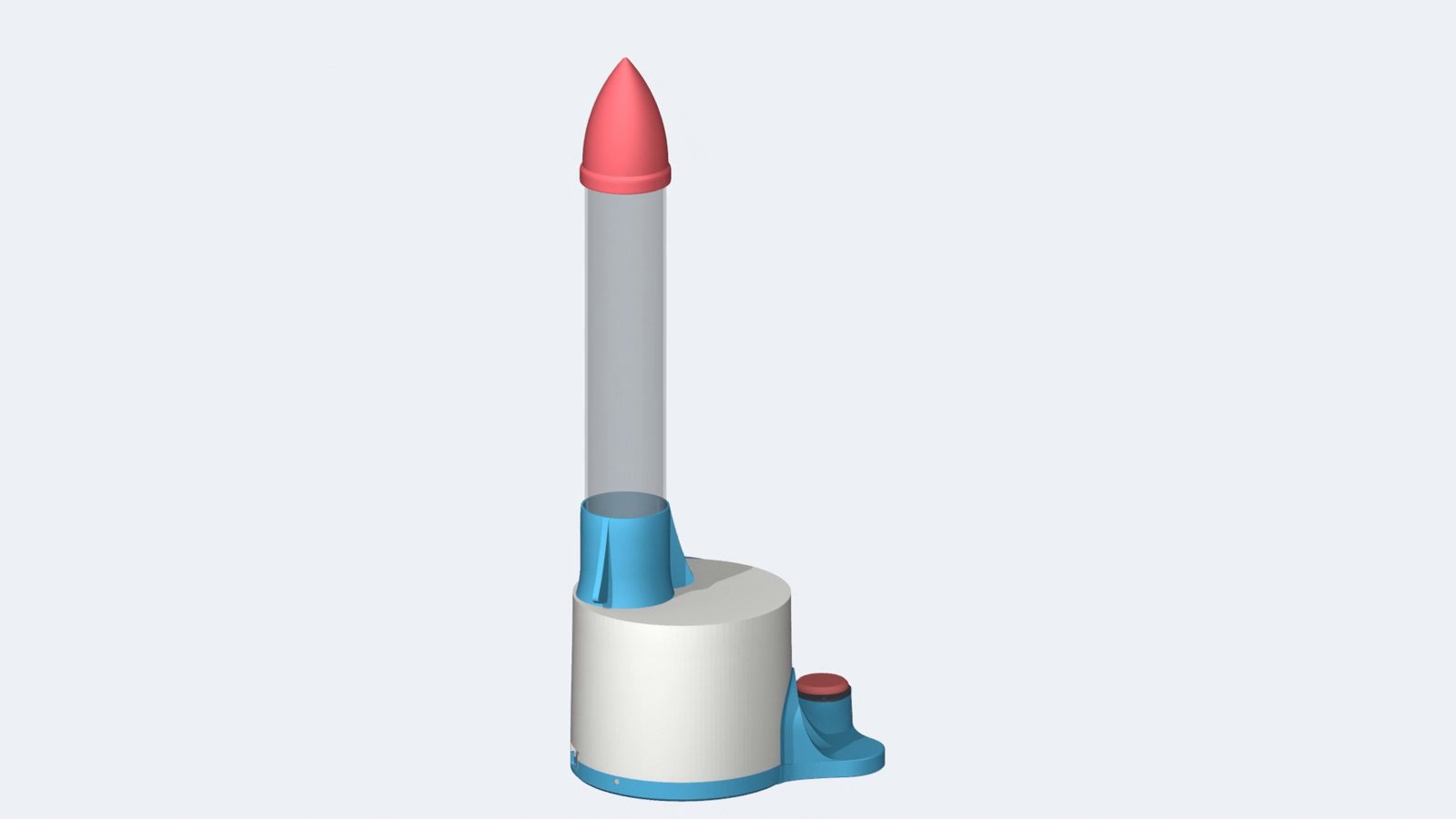
Instead, the hood split in two. A removable blue service pod now sits on the white hood. It carries the extra bulge, is held by two center screws, and comes off without touching the base. The seam was rebuilt to follow the hood’s taper instead of leaving a visible gap. I set the electronics clearance target at about 20 mm from the board, and chose to power the board through its 5 V header rather than a permanent USB cable. The redesigned hood printed far faster than the support-heavy original, too (see chapter 6).
In the assembly guide: Prepare the white hood, five inserts, and blue integral fincan · Fit the removable blue service pod
Firmware bring-up started small: short, counted jogs, small commanded moves of the motor. The first jog was so short the driver LEDs just blinked. Was the motor even moving? I questioned the test length, and a continuous jog settled it. The motor turned. The Hall sensor test became a proper seek-and-stop tool: turn until the sensor finds home, then stop. No more guessing step counts.
From there the controller grew into a parent page on my home LAN. One obvious button sends a reward. A separate settings area handles jogging, teaching positions, status, and Arduino IDE OTA (over-the-air) firmware updates. Positioning uses the Hall sensor as the home datum plus that persistent signed dropoff correction. The AI refined startup and recovery behavior after my real-world testing.
Then the surprise. A phone audio test page worked fine on its own. But the first combined version could release a capsule in total silence unless I refreshed the page. Reading the code turned up a lifecycle error: each reward cycle ID was consumed before audio start was ready.
Firmware 358 fixed that, and in my testing it behaved as expected. 358 is the accepted baseline. A later two-client and restart concern led to firmware 359. Its source, controller tests, ESP32-S3 build and package checks all passed. 359 is the compiled candidate.
In the assembly guide: Install the raised motor and pinion assembly
If you want to build one, start with the 3D animated assembly guide. It’s made from the saved CAD models and their positions: 38 steps, 95 models and the full parts list. It’s a map of the built prototype.
The parts list covers every bought component with supplier and reference links. The motor sits on two M3×8 screws with ten 0.5 mm M3 washers, five under each ear, lifting each ear 2.5 mm. The guide also covers the B3F-5050 button, the single Hall module and the removable pod.
My debrief was mixed. I lost time waiting on long checks whose results still needed rework. I called out support-heavy printing, underfilled print plates, too many controls in the interface, the two Hall sensors, wrong board details, surfaces that didn’t meet cleanly, and tasks abandoned before they were finished. My biggest process fix: print size-check coupons before modeling any real-world part you haven’t measured.
And the rocket? It feels good, and it passed a 15-delivery test.
So here’s the scoreboard. Wins: a 15-delivery pass, a button that works, a Hall-indexed controller, and a complete set of build documents. It got more buildable with every round.
In the assembly guide: All 38 steps
| Signal | Connection |
|---|---|
| ULN2003 IN1–IN4 | GPIO4–GPIO7 |
| Hall sensor (active-low) | GPIO15, 3.3 V |
| B3F-5050 button | GPIO17 + GND, direct solder |
| Driver power | Shared 5 V / GND breakout bus |
| Power in | Panel USB-C, 5 V 2 A supply |
The button wires are soldered straight to the switch pins and routed to GPIO17 and GND. The 28BYJ-48 motor sits on two M3×8 socket-head screws, with five 0.5 mm M3 washers under each ear. That 2.5 mm lift sets how the gears mesh.
For printing, we used tested 0.20 mm profiles and as little support as possible, with none on surfaces that mate with other parts. We skipped brims unless a part needed help sticking, and put compatible parts on the same plate.
Every part here is what I actually used in this build: all 26 lines of the purchased parts list. The printed parts are in the print files: 39 printed pieces in all, including ten of each capsule half. The acrylic tube is used uncut and holds 10 capsules.
Amazon purchase links are affiliate links. As an Amazon Associate I earn from qualifying purchases. Using these links helps me make more projects like this one.
| Category | Part | Qty | Spec | Where I got it |
|---|---|---|---|---|
| Electronics | ESP32-S3 controller + expansion breakout | 1 assembly | Exact owned board variant; breakout is separately mounted | View on Amazon |
| Electronics | 28BYJ-48 stepper motor | 1 | 5V stepper motor with factory motor plug | View on Amazon |
| Electronics | ULN2003 driver board | 1 | ULN2003 family; four-input board | View on Amazon |
| Electronics | Home Hall sensor module | 1 | A3144/3144E family; signal to GPIO15, active-low INPUT_PULLUP | View on Amazon |
| Electronics | Momentary button switch | 1 | Omron B3F-5050; 12×12 mm body | View on Amazon |
| Power | Panel USB-C inlet with pigtail | 1 | DWEII B0FS1F9RQ7 panel inlet | View on Amazon |
| Power | USB power supply | 1 | 5V, 2A USB-A output supply | View on Amazon |
| Power | USB-A to USB-C external supply cable | 1 | USB-A plug to USB-C inlet connection | View on Amazon |
| Mechanical | Output shaft | 1 | Stainless steel, 6 mm diameter × 100 mm long | View on Amazon |
| Mechanical | Bearings | 2 | Plain 686ZZ: 6 mm bore, 13 mm OD, 5 mm wide | View on Amazon |
| Mechanical | Index magnet | 1 | 3 mm diameter × 2 mm axial magnet | View on Amazon |
| Mechanical | Acrylic tube | 1 | Supplied tube used uncut; nominal 51 mm ID × 55 mm OD, 18-inch length. Holds 10 capsules. | View on Amazon |
| Fastener | Socket-head screw | 16 | ISO 4762 M2×6 mm | View on Amazon |
| Fastener | Countersunk screw | 7 | DIN 965A M2×6 mm Phillips; 90° head, max OD 4 mm, max head height 1.2 mm | View on Amazon |
| Fastener | Socket-head screw | 2 | ISO 4762 M3×8 mm | View on Amazon |
| Fastener | Flat-point grub screw | 3 | ISO 4026 M3×6 mm | View on Amazon |
| Fastener | Countersunk floor screw | 3 | ISO 10642 M3×16 mm | View on Amazon |
| Fastener | M2 heat-set insert | 23 | M2 thread × 4 mm long; nominal OD 3.2 mm | View on Amazon |
| Fastener | M3 heat-set insert | 8 | M3 thread × 4 mm long; nominal OD 4.6 mm | View on Amazon |
| Fastener | M2 washer | 4 | OD 5 mm × ID 2.2 mm × 0.3 mm thick | View on Amazon |
| Fastener | M3 washer | 10 | 0.5 mm thick; five beneath each motor ear | View on Amazon |
| Consumable | Assembly adhesive | As needed | ARKA KRAFTPROTZ 3D DRUCK liquid | View on Amazon |
| Wiring | Signal leads / jumpers | 7 | Seven female/female 2.54 mm signal leads; supplied mixed ELEGOO kit | View on Amazon |
| Wiring | Button leads | Existing pair | Two direct-solder leads from the B3F-5050 normally-open contact pair: GPIO17 to one side, common GND to the other; active-low INPUT_PULLUP. | View on Amazon |
| Wiring | Driver power leads | Existing pair | Breakout 5V bus to ULN2003 +; shared GND bus to ULN2003 −. Driver inputs map from ESP32 GPIO4/5/6/7. | View on Amazon |
| Printing material | ELEGOO Rapid PLA+ filament bundle | 1 bundle | Black/white/red/blue 4 kg Rapid PLA+ bundle (4 × 1 kg spools), ASIN B0CD2GRZ2M | View on Amazon |
As an Amazon Associate I earn from qualifying purchases. Using these links helps me make more projects like this one.
These kits contain the screws needed for this build. The insert and washer packs provide the remaining fasteners.
Layer height, infill, walls and slicer time estimates for each printed part.
| Part | Name | Qty | Material | Layer | Infill | Walls | Estimated time |
|---|---|---|---|---|---|---|---|
| P01 | Corrected base | 1 | blue PLA | 0.20 mm | 15% gyroid | 6 | 7h 47m 28s; single-part slice estimate |
| button_cartridge | Removable switch cartridge | 1 | blue PLA | 0.20 mm | 15% gyroid | 6 | 13m 32s; single-part slice estimate |
| button_keeper | Compact switch keeper | 1 | blue PLA | 0.20 mm | 100% gyroid | 5 | 5m 43s; single-part slice estimate |
| bezel_left | Backed bezel left | 1 | black PLA | 0.20 mm | 100% gyroid | 6 | 13m 42s combined plate estimate, both bezel halves |
| bezel_right | Backed bezel right | 1 | black PLA | 0.20 mm | 100% gyroid | 6 | 13m 42s combined plate estimate, both bezel halves |
| E02 | Red button plunger | 1 | red PLA | 0.20 mm | 100% gyroid | 6 | 22m 39s; single-part slice estimate |
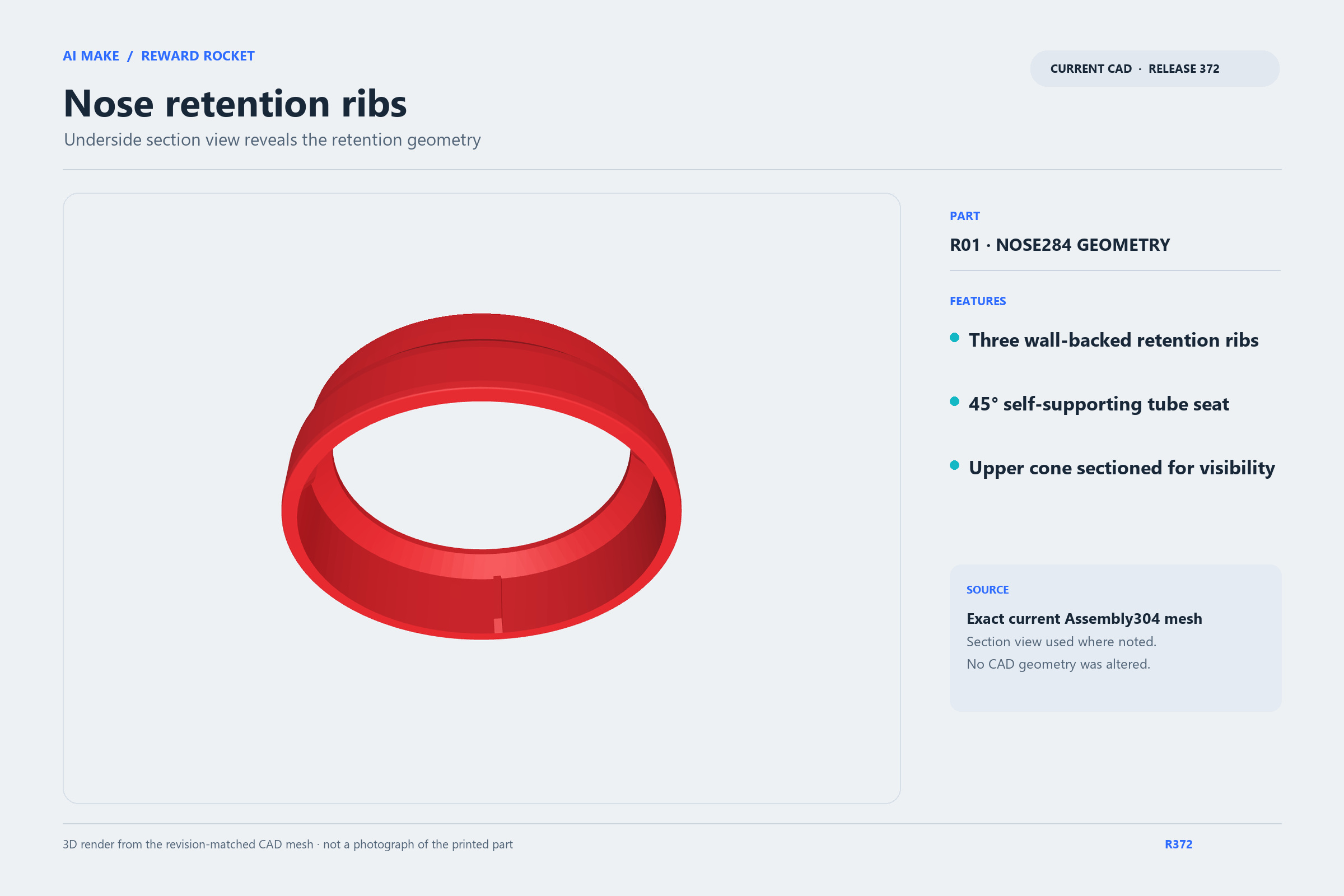
| R01 | Corrected nose | 1 | red PLA | 0.20 mm | 10% (object override) | 4 (object override) | 51m 59s; launch estimate |
| P07 | RR-P07 axial sleeve — replaces unowned collar | 1 | black PLA | — | — | — | — |
| P08 | RR-P08 upper inner-race spacer | 1 | black PLA | — | — | — | — |
| P09 | RR-P09 lower bearing keeper | 1 | black PLA | — | — | — | — |
| P12 | RR-P12 motor pinion 20T | 1 | blue PLA | — | — | — | — |
| P13 | RR-P13 carrier pocket hub and rib grid | 1 | blue PLA | — | — | — | — |
| C01 | RR-C01 capsule lower — integral bayonet neck | 10 | red PLA | 0.20 mm | 0% | 3 | 1h 54m 52s estimate per five-shell batch; print two batches for 10 |
| C02 | RR-C02 capsule upper — captive bayonet tracks | 10 | blue PLA | 0.20 mm | 0% | 3 | 1h 42m 43s estimate per five-shell batch; print two batches for 10 |
| P10 | RR-P10 output gear + captive magnet flange | 1 | blue PLA | — | — | — | — |
| P03 | RR-P03 fixed floor and integral ribs | 1 | white PLA | 0.20 mm | 100% (object override; global 15%) | 8 (object override; global 2) | 3h 01m 01s; single-part slice estimate |
| RR308 | Upper plain686 bearing cap | 1 | white PLA | 0.20 mm | 100% gyroid | 6 | 4m 30s combined plate estimate, cap+shim |
| datum_shim308 | Upper bearing datum shim | 1 | white PLA | 0.20 mm | 100% gyroid | 6 | 4m 30s combined plate estimate, cap+shim |
| P02 | RR-P02 white main hood | 1 | white PLA | 0.20 mm | 15% gyroid | 5 | 2h 53m 39s slice estimate; historical clip 3h 02m 46s |
| P20 | RR-P20 blue removable service pod | 1 | blue PLA | 0.20 mm | 0% | 3 | 2h 16m 04s; single-part slice estimate |
| R02 | RR-R02 blue integral fincan | 1 | blue PLA | 0.20 mm | 20% | 5 | 1h 50m 30s; single-part slice estimate |
From laying out parts to servicing the blue pod: inserts, button cartridge, drive train, floor, ESP32, hood, fincan and capsules.
Open the 3D assembly guide →Missing a part? Here’s the exact one I used.
I’d love to see it. Post your make or remix on Printables, or tag me on X @mtorores. Remixes are welcome under CC BY-NC-SA 4.0: non-commercial, with credit, shared alike.